Start with a small piece.
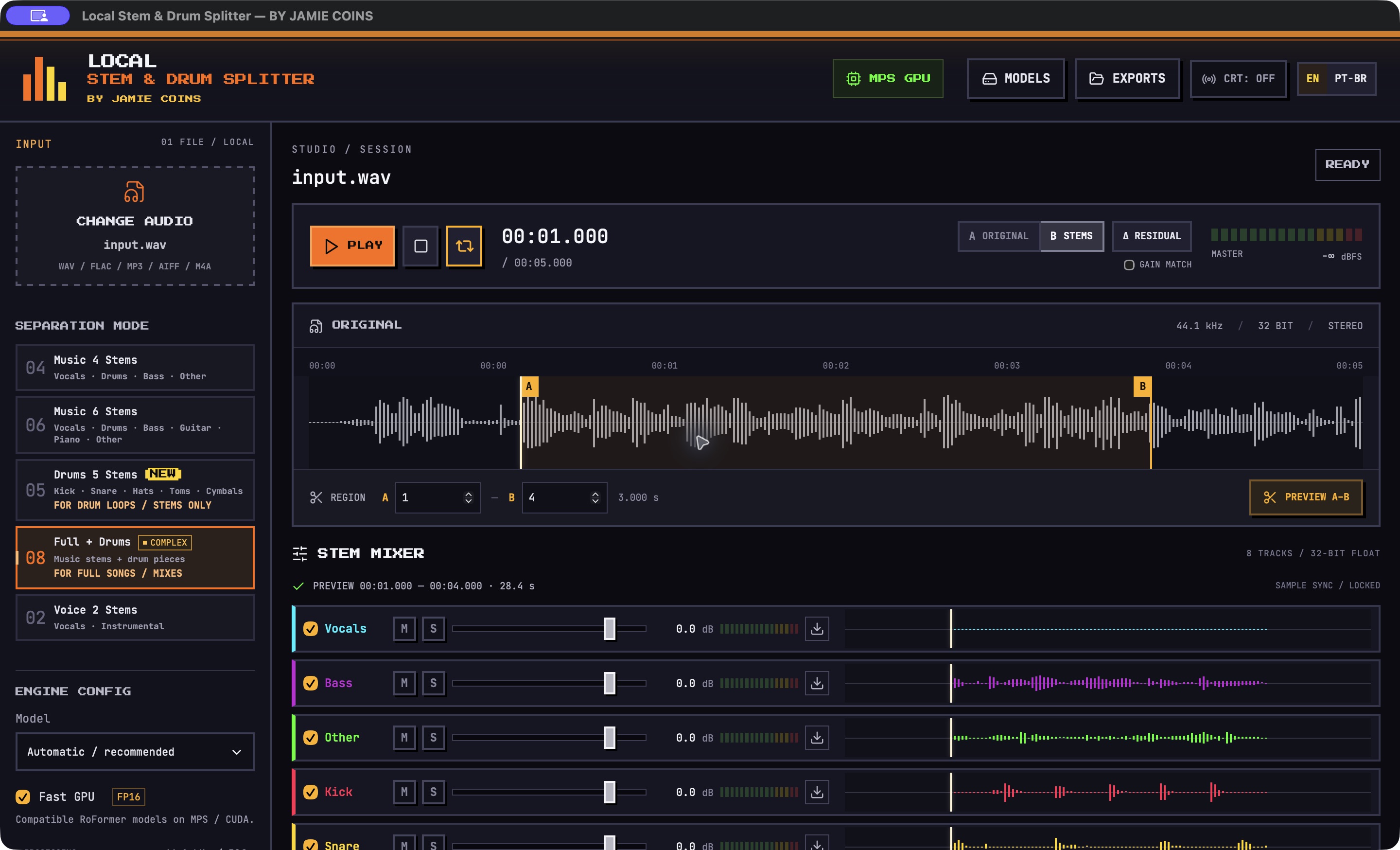
Select an A–B region and process just that excerpt before separating the full track.
LOCAL AUDIO PROCESSING
Separate vocals, instruments and drum pieces on your own computer.
macOS 14+ · Apple Silicon · EN / PT-BR
PREVIEW / MIXER / MODELS
Region preview, stem separation, synchronized playback and audio export.
Select an A–B region and process just that excerpt before separating the full track.
Kick, Snare, Hi-Hat, Toms and Cymbals. Solo a piece, change its level, or build a different balance.
Adjust levels, Mute and Solo. Export individual stems or a rebalanced mix as WAV, FLAC or MP3.
Compare the original with the sum of the active stems. The Δ residual is the difference between them: it helps you hear changes introduced by separation or by your mixer settings.
Choose compatible separation models in Engine Config. Use the model manager to check installed models and download others to compare their results.
Completed separations stay in the local history. Reopen a result to listen to its stems or export again.
SEPARATION
Full mixes, isolated drum loops and vocals.
Vocals · Drums · Bass · Other
FOR FULL SONGS / MIXESVocals · Drums · Bass · Guitar · Piano · Other
FOR FULL SONGS / MIXESKick · Snare · Hi-Hat · Toms · Cymbals
FOR DRUM LOOPS / STEMS ONLYMusic stems, then individual drum pieces.
FULL MIX / TWO STAGESVocals · Instrumental
FOR ACAPELLAS / INSTRUMENTALSHave a complete song? Choose Full + Drums to isolate the drums before splitting the kit. Results vary with the source material; some bleed and artifacts can remain.
DESKTOP APP
No account. No audio uploads.
Offline after downloading the models.
Local GPU processing. Python, the audio engine and FFmpeg are included in the app.
Download for MacDownload link coming soon.
A Windows version is planned for a future release.
Not available yet. Release date to be announced.
An internet connection is needed to download the models the first time. After that, downloaded models run locally. Your music stays on your computer.
DOCUMENTATION
Open the DMG, drag Local Stem & Drum Splitter to Applications, then launch it. The audio engine starts automatically. There is no Python, Node or Terminal setup.
This friends build is not Apple-notarized. After attempting to open it, macOS may offer Open Anyway in System Settings → Privacy & Security. Keep the system's security protections enabled.
Use Drums 5 for an isolated drum loop or drum stem. For a full song with vocals and other instruments, Full + Drums extracts the drums first, then splits the kit. The current model does not provide a separate Clap output.
Export individual stems or a rebalanced mix as WAV 32-bit float, WAV 24-bit, FLAC 24-bit or MP3 320 kbps. Region previews export just the processed excerpt.
It runs two separation stages. Processing speed depends on the computer, the model and the length of the selected audio. Try a region preview first to hear the result.